Keep every app your AI makes you.

Sanduq is a tidy box for the single-file apps you make with Claude, ChatGPT or Gemini. Each one gets an icon, runs full screen, and stays private to itself.
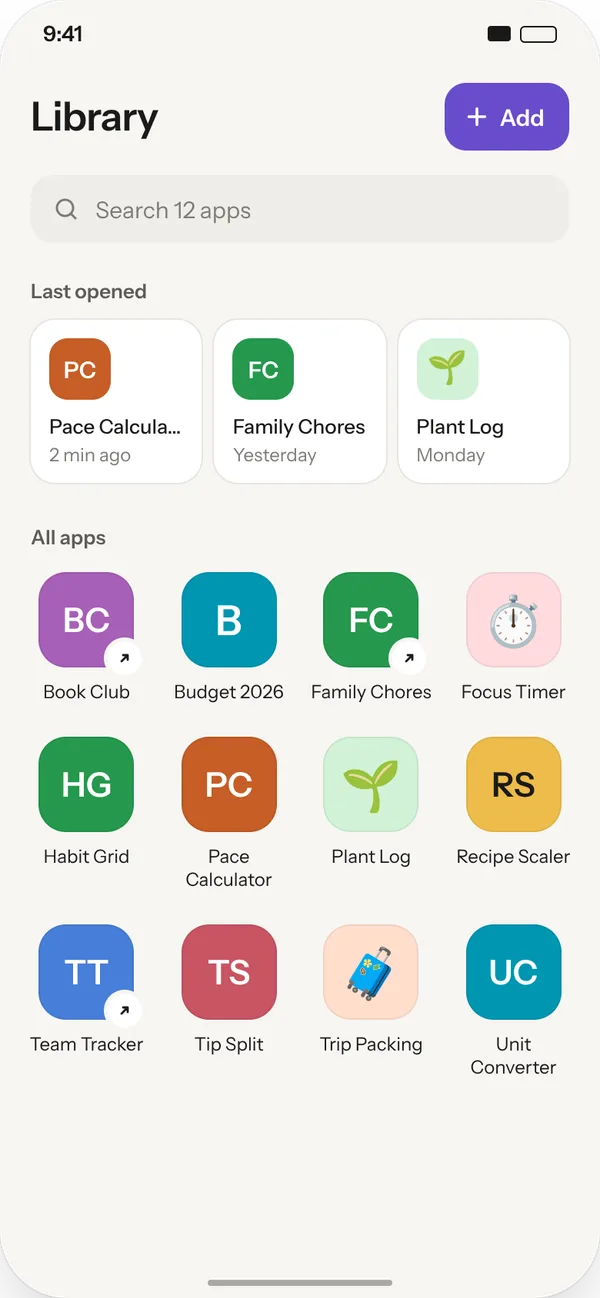
Made in Claude, ChatGPT, Gemini, or by hand. Kept in Sanduq.Example apps
HOW IT WORKS

Three taps and it's yours.

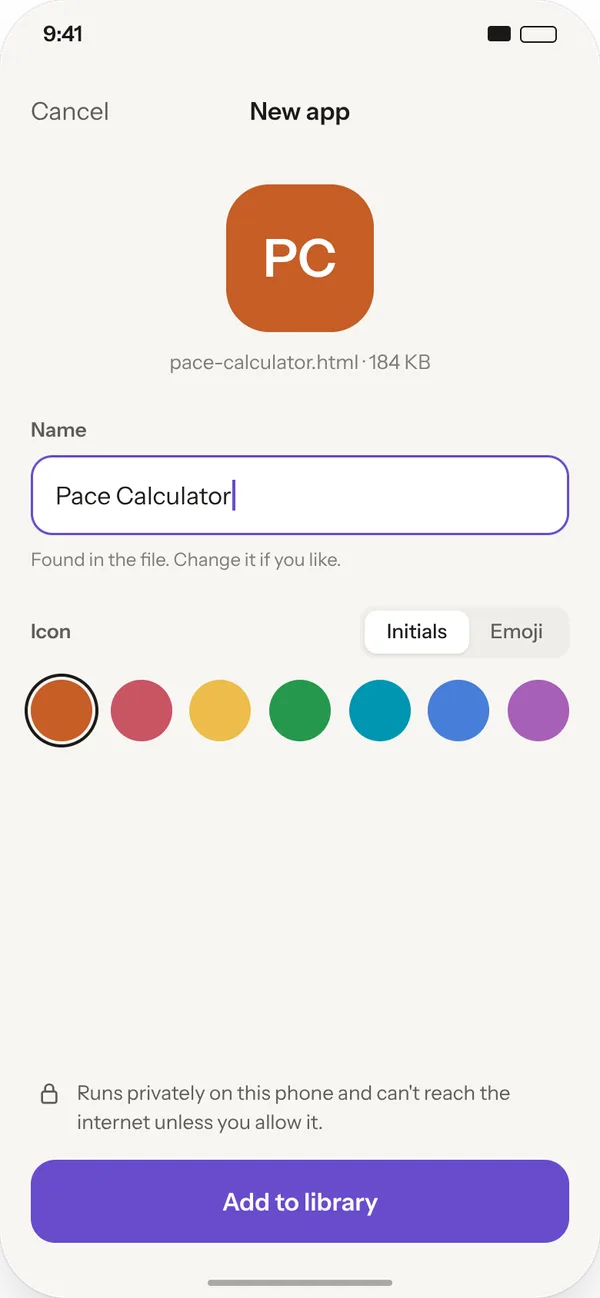
Naming a new app
1. Bring it in Share the file from your chat app, or paste the code. Sanduq finds the name and makes an icon. Change either if you like.
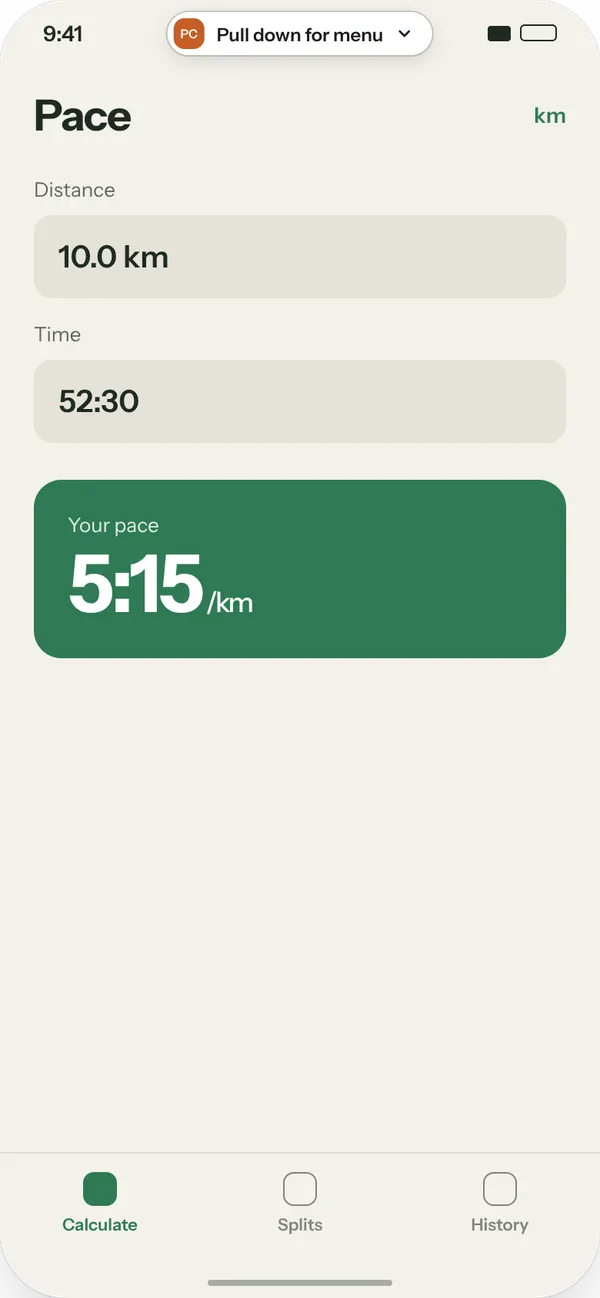
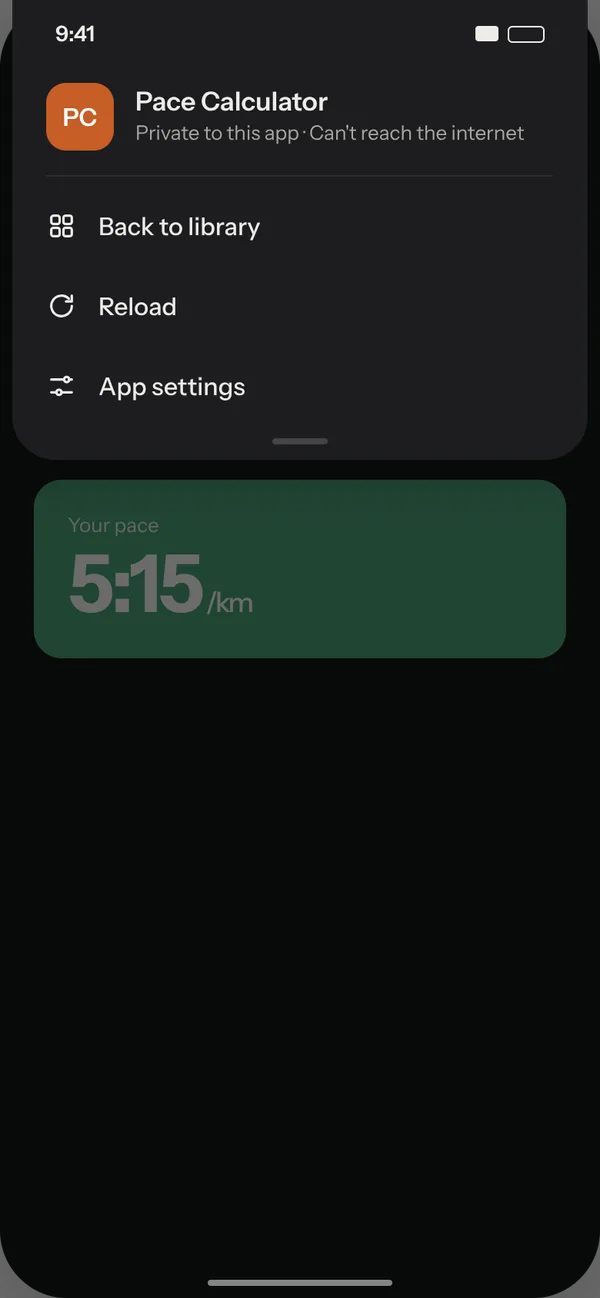
An app running full screen
2. Open it full screen No browser bars, no tabs. Sanduq gets out of the way, and a pull from the top brings back the menu.
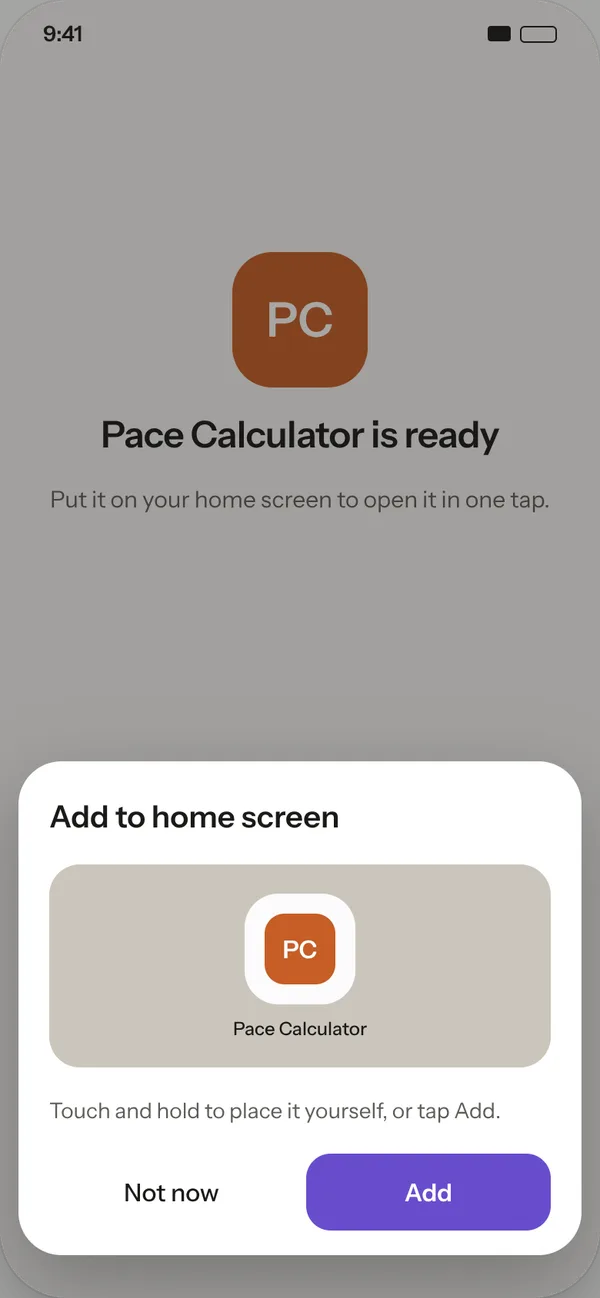
Adding an app to the home screen
3. Pin it home Add a widget and your app opens in one tap, right next to everything else on your phone.
WHAT RUNS

If it's one HTML file, it runs.

Games, calculators, trackers, flashcards, timers, dashboards. If it opens in a browser on its own, it opens in Sanduq, up to 5 MB.

01 Works offline Once it's in, it doesn't need a signal. Fonts and libraries it uses are saved with it.
02 Remembers your stuff Scores, lists and settings stay saved between launches, private to that app.
03 Full screen No address bar, no tabs. It looks and feels like any other app on your phone.
04 Any AI, or none Claude, ChatGPT, Gemini, a friend, or a file you wrote yourself. HTML is HTML.
05 Update without losing anything Ask your AI for a better version and replace the old one. Your data stays put.
06 Live tools too Add a link to a shared tracker and it opens with the logins you already have.
STARTER PROMPT

Get an app that works the first time.

Paste our starter prompt into Claude, ChatGPT or Gemini and fill in the first line. Your AI builds it the way Sanduq likes: one file, works offline, saves your data, fits your phone.

Open the build guide β†’
starter-prompt.mdWorks in any AI
Build me a phone app: [describe what you want, for example "a habit tracker for 5 daily habits with a weekly streak view"].

It will run in Sanduq, an app that turns a single HTML file into an app on my phone. Follow the Sanduq app guide at https://getsanduq.com/build.md if you can read it. If not, follow these rules:

- Deliver one complete .html file with all HTML, CSS and JavaScript inside it. No build step and no separate files.
- Put a short, clear app name in the <title> tag.
- Save my data with localStorage, wrapped in try/catch. Do not use a server, accounts or a database.
- Design for a phone held upright. Use viewport-fit=cover and pad for env(safe-area-inset-*). A bottom tab bar is fine.
- It must work offline. Fonts and libraries from Google Fonts, jsDelivr, unpkg or cdnjs are fine, because Sanduq saves them on import. Do not call any other website.
- Support light and dark mode with prefers-color-scheme.
- Keep the file under 5 MB. Use inline SVG for icons, not large images.

Give me the file so I can save it and open it in Sanduq.
PRIVATE BY DEFAULT

Every app gets its own box.

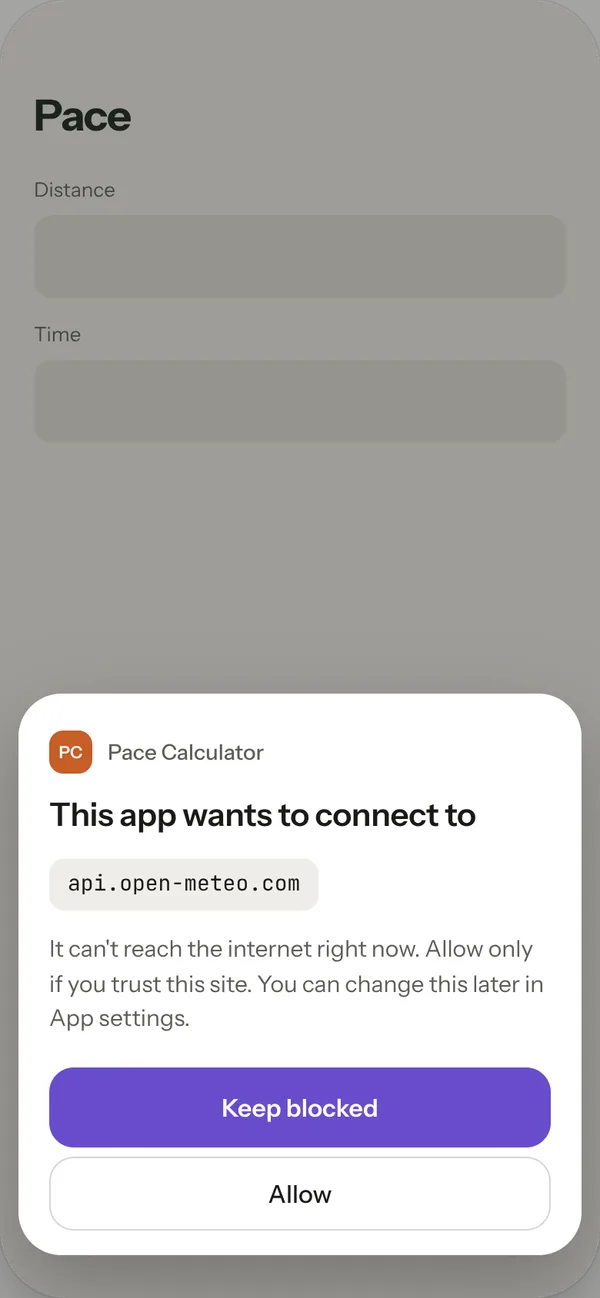
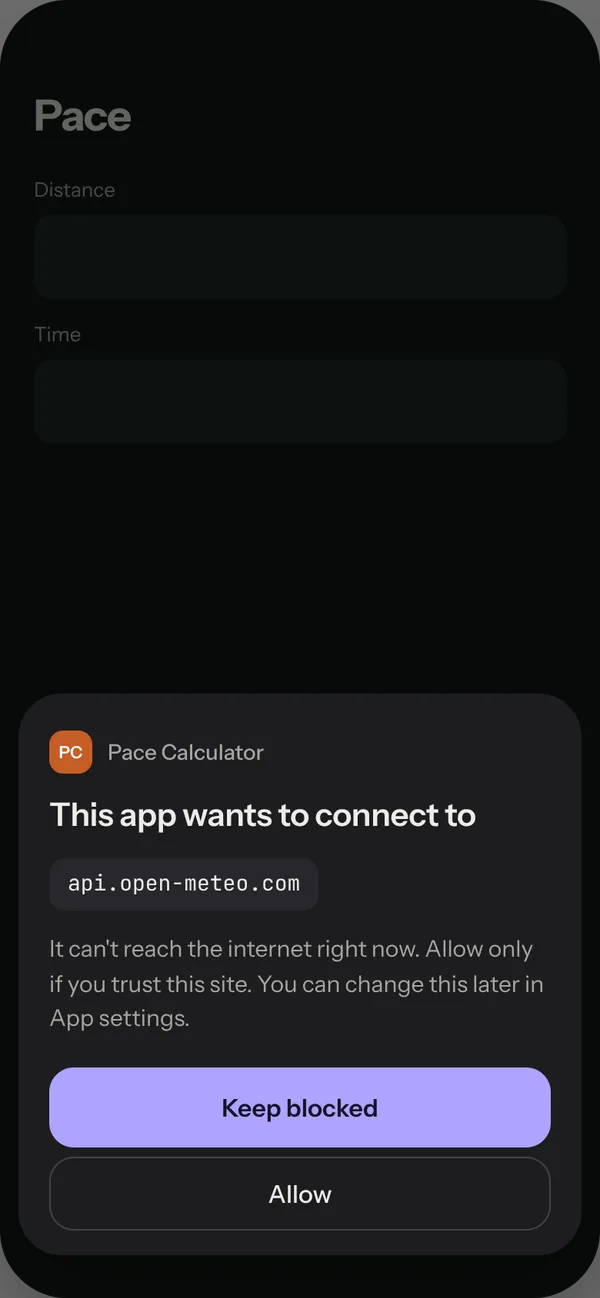
Sealed. What an app saves is private to that app. Apps can't see each other or your phone. Offline unless you say so. An app can't reach the internet until you allow a specific website. No account. Your apps stay on your phone. We never see what you import.
Security and privacy, in plain words β†’
A prompt asking whether to let an app reach a website
Sanduq widgets on a home screen
WIDGETS

One tap from your home screen.

Pin one app, or a square of four. On Android it's a single tap after import. On iPhone, when it arrives, we'll walk you through it.

See the widgets β†’
PRICING

Free while it's in testing.

FreeSanduq is free while it is in testing.
Home screen widgets
Link apps for live web tools
Every privacy protection
Export your apps and data any time
Pro, laterPro, with cloud backup and more, comes later. There is nothing to buy today.
Cloud backupYour apps and their data, backed up and restored on a new phone. Off until you turn it on.
Website artifactsOpen apps your AI published as a web link, and keep them in your library like any other.
Coming soon

The Community Library

A shelf of apps other people made and shared, ready to drop into your box. Opening after launch.

SQ
🎲
MT
πŸ“š
LG
DC
πŸ—ΊοΈ
KB

Be first in the box.

Join the waitlist and we'll email you once, when it's ready.

My phone